Guardians Portal: Viewing Class Test Results
This guide explains how to view results from class tests, quizzes, or other assessments separate from major exams within the Guardians Portal.
Accessing Class Test Results
- Log in to the Guardians Portal.
- Navigate to the "Class Tests", "Quizzes", or potentially a subsection under "Grades" or "Academics". Look for links in the main menu, dashboard, or student profile.
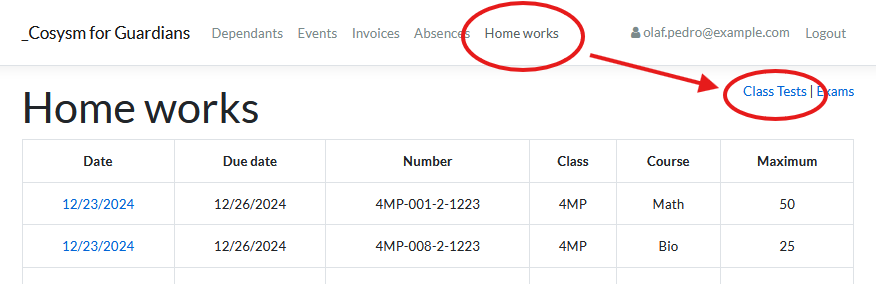
Viewing Results
The class tests section likely lists assessments taken by the student:
- It might group tests by subject or date.
- It should display the test name, date, and the score or grade achieved.
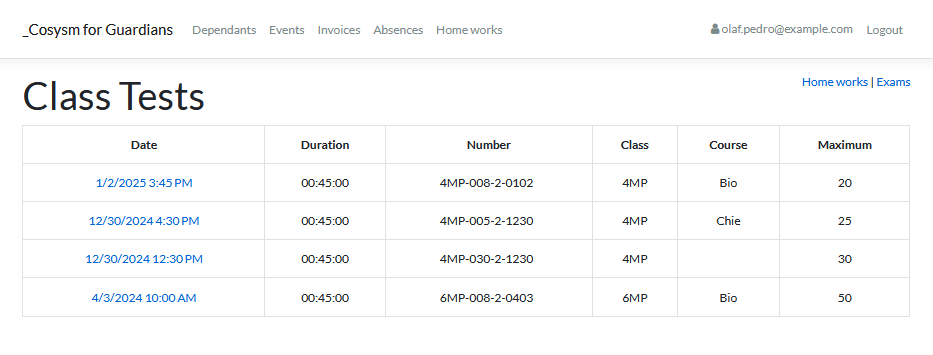
Viewing Detailed Test Information
- Click on a specific class test entry.
- This may open a detailed view showing:
- The score obtained versus the total possible score.
- Specific feedback from the teacher, if provided.
- The relative weight or contribution of the test to the overall grade (if applicable).
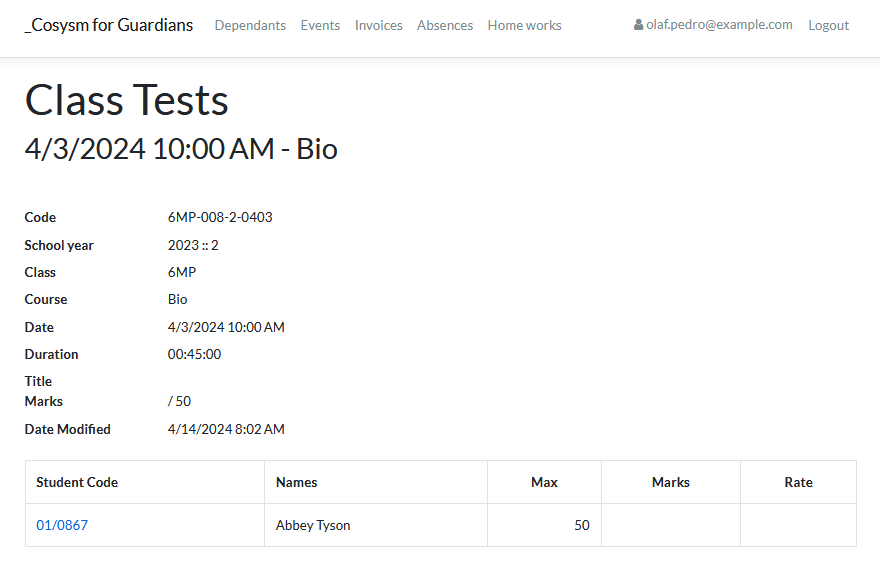
Use this section to track your student's performance on regular in-class assessments throughout the academic term.