Guardians Portal: Viewing Exam Results
This guide explains how to access and view your student's exam results within the Guardians Portal.
Accessing Exam Results
- Log in to the Guardians Portal.
- Navigate to the "Exams", "Grades", or "Results" section. This might be accessible from the main menu, the dashboard, or the student's profile page.
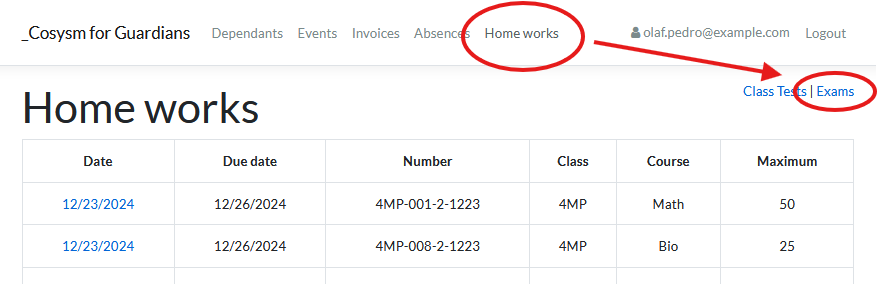
Viewing Results
The exams section typically lists exams taken by the student:
- It might show results per exam period (e.g., Term 1, Semester 2).
- It could list individual exams with their dates and subjects.
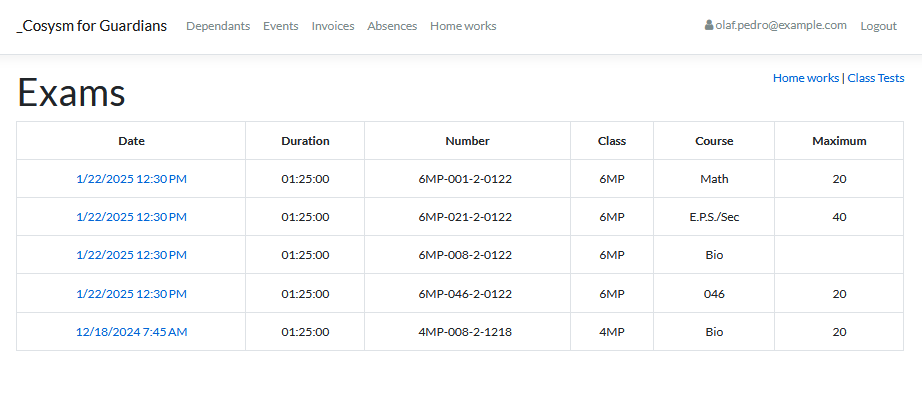
Viewing Detailed Results
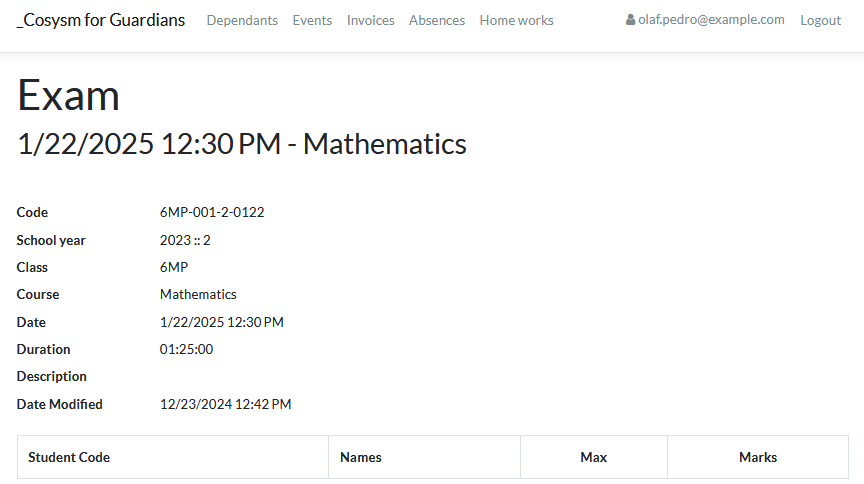
- Click on a specific exam period or individual exam entry.
- This will display the detailed results, which may include:
- Scores or grades for different subjects or components of the exam.
- Teacher comments or feedback (if provided).
- Overall performance summaries or averages.

Use this section to monitor your student's performance in formal examinations. Check regularly after exam periods for updated results.