Guardians Portal: Managing Finances
This guide covers how to view school fee invoices and track payments within the Guardians Portal.
Viewing Invoices
- Log in to the Guardians Portal.
- Navigate to the "Invoices" or "Finances" section from the main menu or dashboard.
- You will see a list of invoices issued for your student(s). The list typically shows the invoice number, date, amount, and status (e.g., Paid, Unpaid, Overdue).
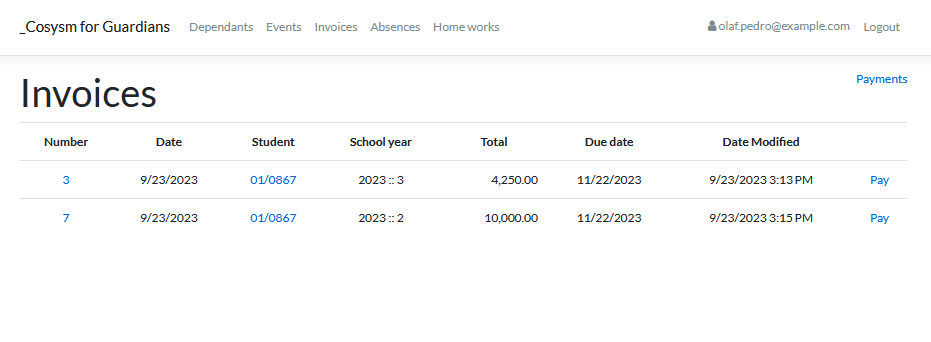
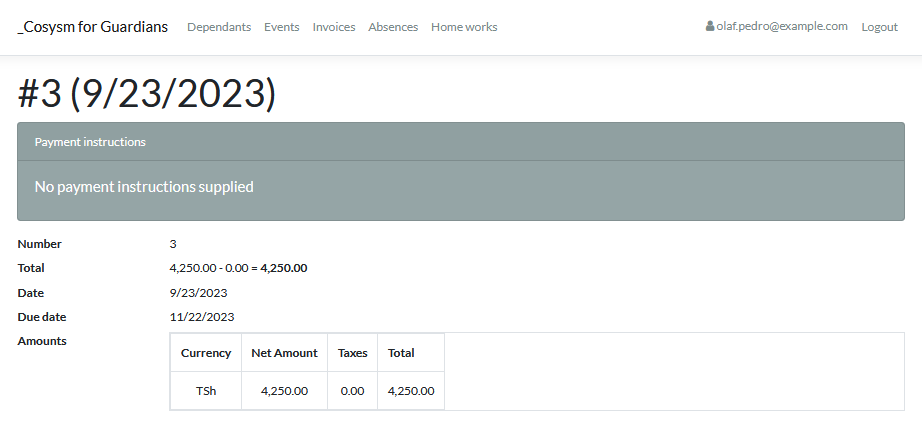
- Click on an invoice number or a "View Details" link to see the full invoice details, including itemized charges.

Viewing Payments
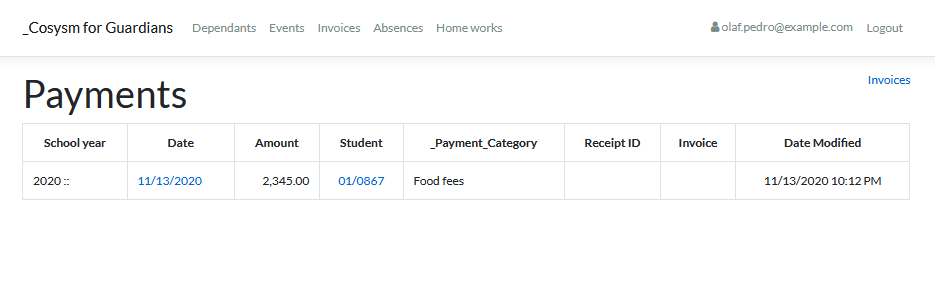
- Access the "Payments" section, which might be a subsection under "Finances" or accessible directly from the menu.
- This section displays a history of payments made. It usually includes the payment date, amount, method, and the invoice it was applied to.
Note: The portal might offer online payment options. If so, follow the on-screen instructions provided in the Invoices or Payments section.
Use these sections to stay informed about school fees and payment statuses for your student(s).